Hadiosh ARTA — Blender Asset Presentation, Look Development, Baking & Rendering Add-on
$20.00
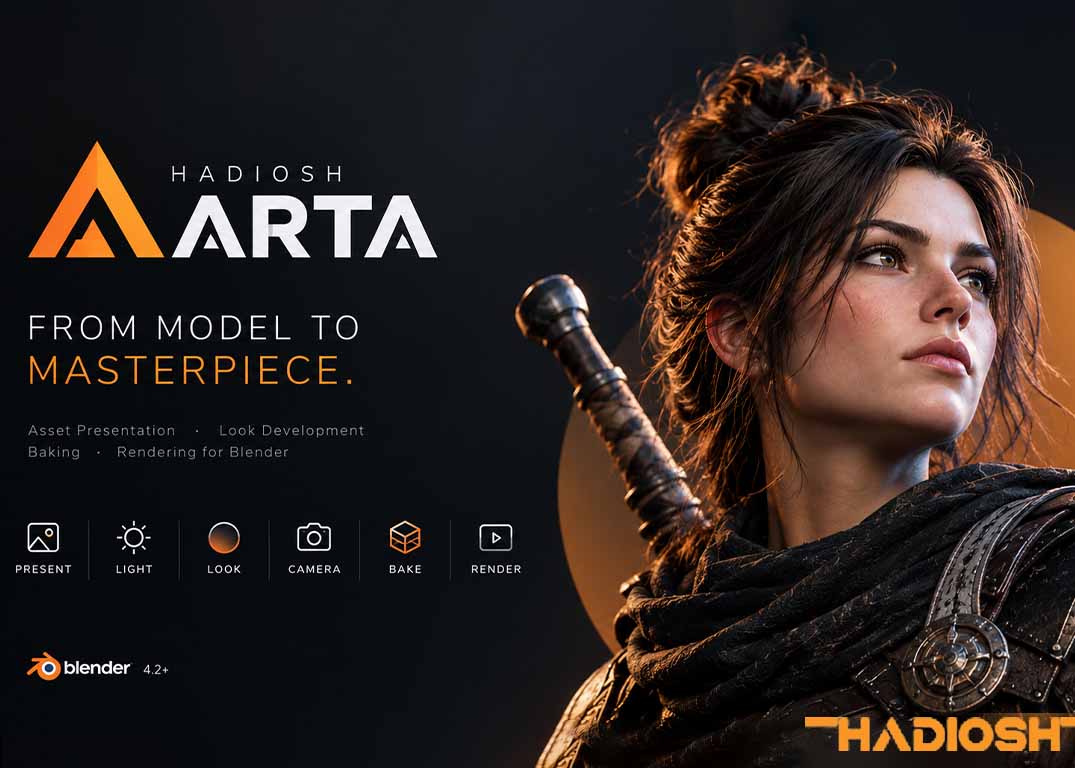
Hadiosh ARTA is a professional Blender asset presentation, look development, baking, and rendering add-on designed to make the final stages of a 3D asset workflow faster, cleaner, and easier to manage.
Instead of spending time rebuilding the same lighting setup, adjusting cameras, configuring materials, preparing bake settings, and creating presentation renders manually, ARTA brings these tasks into one focused workflow.
Whether you are a 3D artist, character artist, environment artist, game developer, freelancer, or asset creator, ARTA helps you take a finished model from a raw Blender scene to a polished, presentation-ready result.
| 1.0.7 | Vertex Mode Color ORM added | |
| 1.0.9 | Bake System Updated and Multi Camera System fixed, More Post Process FX Added |
Can it Bake?
Yes ... its Professinal Baking Tool
Description
Hadiosh ARTA — Blender Asset Presentation, Look Development, Baking & Rendering Add-on
Present better. Lookdev faster. Bake with confidence. Render your assets professionally.
Hadiosh ARTA is a professional Blender asset presentation, look development, baking, and rendering add-on designed to make the final stages of a 3D asset workflow faster, cleaner, and easier to manage.
Instead of spending time rebuilding the same lighting setup, adjusting cameras, configuring materials, preparing bake settings, and creating presentation renders manually, ARTA brings these tasks into one focused workflow.
Whether you are a 3D artist, character artist, environment artist, game developer, freelancer, or asset creator, ARTA helps you take a finished model from a raw Blender scene to a polished, presentation-ready result.
A Faster Way to Present Your 3D Assets
Finishing a model is only part of the job.
Once the asset is complete, you still need to answer important questions:
- How should the asset be presented?
- Which HDRI shows the materials clearly?
- Is the lighting revealing enough detail?
- Does the camera frame the model properly?
- How should the materials look in a portfolio render?
- Are the high-poly and low-poly meshes ready for baking?
- Will the normal map project correctly?
- How can you create consistent renders for multiple assets?
ARTA is designed around these exact problems.
Its workflow combines:
Set Asset → Present → Light → Look → Camera → Bake → Render
The goal is simple: spend less time preparing the scene and more time evaluating and presenting your actual work.
Professional Asset Presentation Inside Blender
A good asset presentation should make the model easy to understand.
ARTA provides a dedicated presentation workflow with HDRI lighting, backgrounds, ground surfaces, shadows, presentation presets, and camera controls, allowing you to quickly create a clean environment around your asset.
You can use it for:
- Character presentation
- Props
- Weapons
- Environment assets
- Sculpted models
- Game-ready assets
- Product-style renders
- Portfolio images
- ArtStation presentations
- Turntable renders
- WIP reviews
Instead of creating a new presentation scene for every asset, you can establish a reusable setup and apply it across your projects.
HDRI, Background & Ground
Good lighting is essential when presenting a 3D model.
ARTA lets you build a controlled presentation environment using:
- HDRI lighting
- Independent background control
- Ground surface
- Shadows
- Presentation presets
- Studio-style setups
This makes it easier to inspect materials, silhouettes, surface details, sculpting quality, and overall asset readability.
For artists who frequently create portfolio renders, this can significantly reduce repetitive scene setup.
Lighting Controls for Better Readability
ARTA includes dedicated controls for the main presentation lights:
- Key Light
- Fill Light
- Rim Light
- Top Light
This gives you direct control over how the asset reads under different lighting conditions.
Use stronger rim lighting to separate a character from the background, adjust the fill to control shadow density, or modify the key light to reveal surface forms and material response.
The purpose is not to replace Blender’s lighting system. It is to provide a faster, more focused way to build an asset presentation.
Look Development Without Rebuilding Materials
Testing different visual treatments is an important part of asset presentation.
ARTA provides material and look-development controls that allow you to quickly explore different appearances, including:
- Clay
- White
- Dark
- Metal
- Custom looks
- Skin SSS
- Vertex Color-based looks
This is particularly useful when you need to evaluate the geometry separately from the final material.
For example, a clay presentation can help you inspect sculpting and topology, while a controlled material setup can help you evaluate how the final asset responds to light.
Vertex Color Look Development
ARTA also provides dedicated controls for Vertex Color-based materials.
When a Vertex Color material is active, you can control:
- Roughness
- Metallic
- Subsurface Scattering (SSS)
These controls are applied directly to the material’s Principled BSDF setup and are stored with the Blender file.
This makes Vertex Color workflows more useful for artists who want to quickly experiment with the visual response of an asset without manually rebuilding the shader every time.
Skin SSS for Character Presentation
Character artists often need to evaluate skin under controlled lighting.
ARTA includes a dedicated Skin SSS workflow for testing subsurface scattering and creating more suitable presentation setups for organic assets.
It can be useful for:
- Characters
- Creatures
- Sculptures
- Portraits
- Stylized characters
- Human skin studies
The goal is to make look development easier without requiring a completely separate presentation scene.
Post Processing Controls
ARTA includes a focused set of post-processing controls for refining the final presentation.
Adjust:
- Exposure
- Look
- Contrast
- Saturation
- Temperature
- Bloom
- Sharpen
These controls allow you to make quick visual adjustments while evaluating your asset.
Instead of immediately moving into another application for every small presentation adjustment, you can refine the overall image directly inside your Blender workflow.
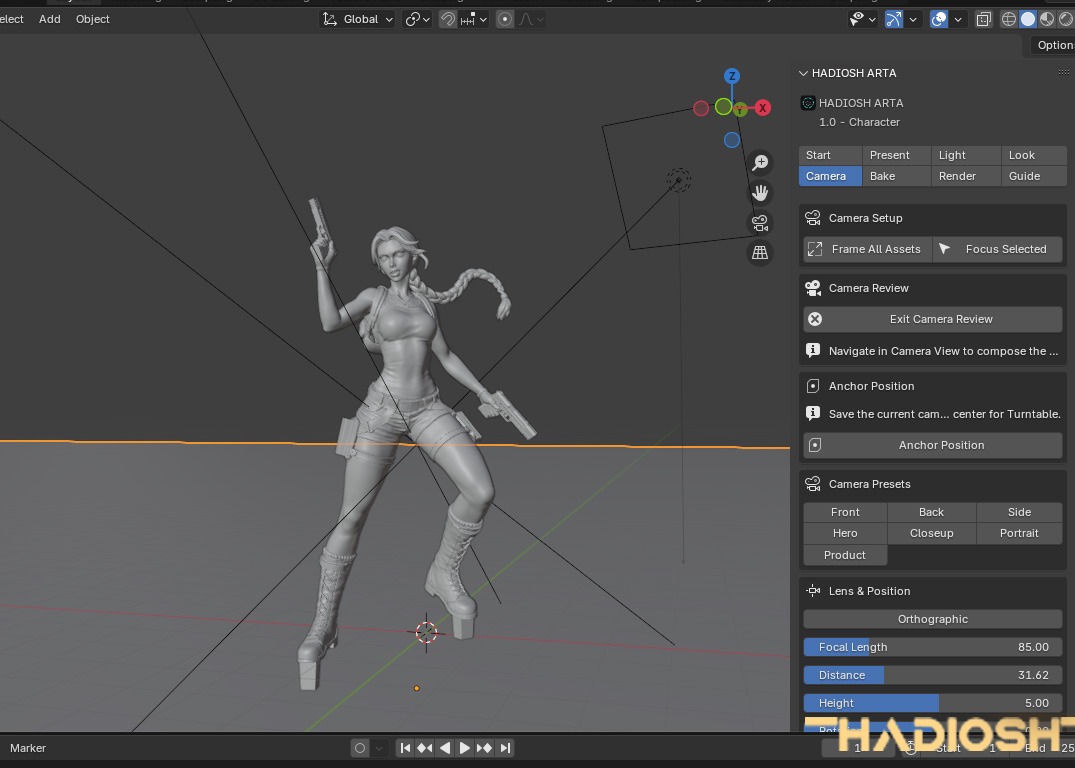
Camera Setup Made for Asset Presentation
Camera setup is one of the most repetitive parts of creating asset renders.
ARTA provides tools for:
- Automatic framing
- Camera review
- Focal length
- Position
- Rotation
- Depth of Field
- Camera presets
- Camera Anchor
- Camera Shots
The result is a faster way to create consistent views of your assets.
You can create a clean hero shot, inspect the asset from another angle, or prepare several camera shots for presentation without rebuilding your scene every time.
Camera Anchor
ARTA’s Camera Anchor workflow helps maintain a stable relationship between your camera and the asset while adjusting the presentation.
This is especially useful when you are experimenting with:
- Camera angle
- Asset rotation
- Composition
- Framing
- Presentation views
It is designed to make camera experimentation less frustrating and more predictable.
Create Turntable Presentations
A turntable is one of the most useful ways to present a 3D asset.
Instead of uploading a single image, you can show the model from multiple angles and allow viewers to understand:
- Silhouette
- Proportions
- Materials
- Surface detail
- Back and side views
- Overall modeling quality
ARTA provides a dedicated turntable workflow for creating these presentations and renders.
This makes it especially useful for game assets, character models, props, weapons, sculptures, and portfolio work.
Baking Tools for Game-Ready Assets
ARTA is not limited to presentation.
It also provides a focused Blender baking workflow for transferring information from high-poly geometry to low-poly assets and generating useful texture maps.
Supported bake workflows include:
- High → Low baking
- Direct / Single Object baking
Supported map types include:
- Normal
- Ambient Occlusion
- Roughness
- Metallic
- Base Color
- Emission
- Combined
This allows artists to move from modeling and look development toward a more complete game-asset workflow without leaving Blender.
Normal Projection Preview
Normal map baking can fail when the projection between the high-poly and low-poly meshes is incorrect.
ARTA includes a Normal Projection Preview to help identify these problems before committing to a full bake.
The preview uses visual feedback to show whether projection rays are successfully reaching the high-poly surface.
You can inspect:
- Covered areas
- Missed areas
- Maximum Ray Distance
- Cage settings
- Projection problems
A successful projection is shown in green, while missed areas are shown in red.
This gives you a practical way to catch projection problems before wasting time on a final bake.
Bake Validation
Baking problems are often caused by preparation rather than the bake operation itself.
ARTA provides validation-oriented controls to help you check the setup before baking.
This is especially useful when working with:
- High-poly / low-poly pairs
- Cage-based projection
- Multiple assets
- Game-ready models
- Repeated baking workflows
The objective is to make baking more predictable and reduce unnecessary trial and error.
UV Workflow
ARTA also supports the preparation stage of the baking workflow with UV-related tools and validation.
You can work with UV requirements and use Smart UV when appropriate for quickly preparing assets for baking.
This makes ARTA useful as a bridge between:
High-Poly Modeling → Low-Poly Preparation → UVs → Baking → Presentation → Rendering
Render Your Assets Directly in Blender
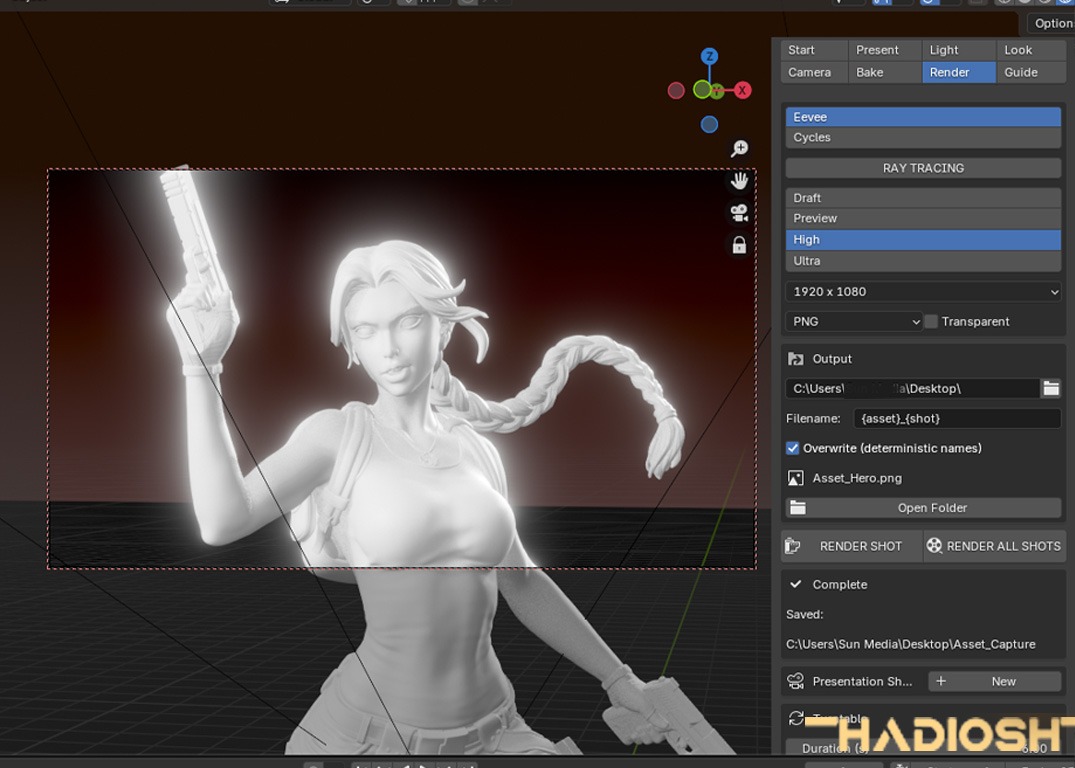
Once the asset is ready, ARTA provides tools for creating final renders from your presentation setup.
You can configure:
- Render resolution
- Output format
- Output directory
- File naming
- Overwrite behavior
- Render engine
- Quality settings
ARTA supports both Eevee and Cycles, allowing you to choose the rendering approach that fits your project.
Smart File Naming
When creating multiple renders, keeping files organized becomes increasingly important.
ARTA supports smart output naming using placeholders such as:
{asset}
{shot}
This makes it easier to maintain organized output when rendering multiple assets or camera shots.
For example, a project can produce consistently named files based on the current asset and selected shot rather than requiring manual renaming after every render.
Capture and Turntable Rendering
ARTA can be used not only for still images but also for presentation capture and turntable rendering.
This makes it suitable for creating:
- Portfolio renders
- Asset previews
- Product-style presentations
- Character turntables
- Game asset showcases
- WIP presentations
- Marketplace previews
A consistent presentation setup also makes it easier to create a recognizable visual style across an entire asset collection.
Save and Reuse Your Presentation Setup
One of the biggest advantages of a dedicated presentation workflow is repeatability.
Once you have created a presentation setup that works for your project, you can save and reuse the relevant presentation settings instead of starting from an empty scene every time.
This is especially useful for artists who create multiple assets for the same:
- Game
- Character collection
- Asset pack
- Portfolio
- Marketplace
- Production pipeline
Build the presentation once. Reuse it across your work.
Built for Artists, Not Just Technical Users
ARTA is designed around the way artists actually work.
You should not need to manually configure dozens of unrelated Blender settings every time you want to inspect a model.
The workflow focuses on the questions an artist is usually trying to answer:
Does the model read correctly?
Do the materials look right?
Does the lighting reveal the details?
Is the camera presentation strong?
Will the bake project correctly?
Is the asset ready to render and present?
ARTA brings these stages together into one workflow.
Who Is Hadiosh ARTA For?
3D Character Artists
Create controlled portrait, skin, lighting, camera, and turntable presentations for characters and creatures.
Game Artists
Move from high-poly and low-poly assets toward baking, material testing, and final presentation inside Blender.
Environment & Prop Artists
Quickly inspect modeling quality, materials, silhouettes, and presentation lighting.
Sculptors
Use clay, controlled lighting, camera, and presentation tools to showcase sculpting details.
Freelancers
Create consistent client previews and professional asset presentations without building a new scene for every project.
Asset Pack Creators
Produce consistent previews and renders across large collections of models.
Portfolio Artists
Create polished renders and turntables for ArtStation, personal websites, social media, and professional portfolios.
Why Use ARTA Instead of Building Every Setup Manually?
Blender is extremely powerful, but flexibility can also mean repetition.
For a single asset, manually creating lights, cameras, materials, backgrounds, render settings, and bake configurations may not feel like a major problem.
When you repeat that process across dozens or hundreds of assets, the time adds up.
ARTA is designed to reduce that repetitive setup work.
Instead of treating presentation, look development, baking, and rendering as completely separate tasks, ARTA connects them into one practical asset workflow.
A Complete Asset Workflow Inside Blender
With ARTA, your workflow can look like this:
1. Set Asset
Prepare the model you want to work on.
2. Present
Create the presentation environment with HDRI, background, ground, and presets.
3. Light
Control Key, Fill, Rim, and Top lighting.
4. Look
Test materials, clay looks, metal, skin SSS, and Vertex Color workflows.
5. Camera
Frame the asset, adjust the camera, create shots, and use Depth of Field.
6. Bake
Prepare UVs, configure projection, preview normals, validate, and bake maps.
7. Render
Create stills, captures, and turntable presentations.
This is the core idea behind Hadiosh ARTA:
One asset. One focused workflow. Less setup. More results.
Feature Overview
| Feature | Included |
|---|---|
| Asset Presentation | ✓ |
| HDRI Lighting | ✓ |
| Background Control | ✓ |
| Ground & Shadows | ✓ |
| Key / Fill / Rim / Top Lights | ✓ |
| Presentation Presets | ✓ |
| Clay / White / Dark / Metal Looks | ✓ |
| Skin SSS | ✓ |
| Vertex Color Look Development | ✓ |
| Roughness / Metallic / SSS Controls | ✓ |
| Post Processing | ✓ |
| Camera Framing | ✓ |
| Camera Presets | ✓ |
| Depth of Field | ✓ |
| Camera Anchor | ✓ |
| Camera Shots | ✓ |
| Turntable Workflow | ✓ |
| High → Low Baking | ✓ |
| Direct / Single Object Baking | ✓ |
| Normal / AO / Roughness Baking | ✓ |
| Metallic / Base Color Baking | ✓ |
| Emission / Combined Baking | ✓ |
| UV Preparation | ✓ |
| Smart UV | ✓ |
| Projection Preview | ✓ |
| Bake Validation | ✓ |
| Still Rendering | ✓ |
| Turntable Rendering | ✓ |
| Capture | ✓ |
| Smart File Naming | ✓ |
| Eevee | ✓ |
| Cycles | ✓ |
| Save & Reuse Presentation | ✓ |
| Built-in Guide | ✓ |
Blender Compatibility
Hadiosh ARTA targets Blender 4.2.0 and later.
Current development has been runtime-tested on Blender 4.4 and Blender 5.2.
Because Blender’s Python API evolves between releases, individual versions should still be validated in your production environment before deployment across a large team or pipeline.
Built for a Better Asset Workflow
Hadiosh ARTA is not designed to replace Blender.
It is designed to make a specific part of Blender more efficient:
the stage where your model needs to become a finished, readable, presentable asset.
From the first presentation setup to look development, camera work, baking, and final rendering, ARTA gives you a more structured way to move through the process.
If you regularly spend time rebuilding the same studio setup, configuring lights, preparing cameras, checking bake projections, or creating repetitive asset renders, ARTA is built to reduce that overhead.
Model it. Present it. Lookdev it. Bake it. Render it.
Hadiosh ARTA — Your asset workflow, inside Blender.


Reviews
There are no reviews yet.